Snap the Receipt. Let Masraf-X Run the Process.
Photograph your receipt and let Masraf-X create your expense record in seconds. AI automatically detects, extracts and fills in the fields on the receipt.

Win back the hours you spend on manual processes. Catch hidden spending, prevent policy violations and speed up your month-end close.
Photograph your receipt and let Masraf-X create your expense record in seconds. AI automatically detects, extracts and fills in the fields on the receipt.
Why it's different
A manual expense process creates a hidden cost: lost documents, expenses paid twice and a finance team squeezed at month-end. Masraf-X closes every bottleneck at its source.
A receipt crumpled in a pocket or forgotten in a drawer can't be found at month-end. Masraf-X turns the receipt into a record from a photo at the moment of spending; even if the paper is lost, the record stays.
Scattered files from departments are merged by hand at every close, and every merge means a new error. All expenses are collected on one platform, in one format.
The same receipt can be reimbursed again and again in different reports. Date, amount, vendor and receipt details are compared, and a possible duplicate is flagged before approval.
If a limit breach is only noticed after reimbursement, it's hard to fix. Company rules are checked while the record is being created, so a violation becomes visible before it reaches the approver.
When the approver is traveling, the process stops and the employee waits for reimbursement. The multi-level approval flow moves forward with notifications; managers decide with a single tap on their phone, wherever they are.
The finance team spends its last days chasing missing documents. Approved records are transferred to the ERP complete with accounting details; the close turns from collecting documents into checking them.
How it works
Between the moment an employee takes the photo and the moment the record lands in your ERP, no step is left to email, spreadsheets or manual entry.
Photograph the receipt or invoice in the mobile app or upload it on the web. Expense entry is completed within 2 seconds.
AI detects the amount, date, VAT, vendor and category fields on the receipt and places them in the form. Project, cost center and company-specific fields are completed in the same form.
The record is instantly compared with your spending policies and past expenses. A limit breach or possible duplicate is flagged together with the reason.
The record is routed to the right approver by department, amount or expense type. The multi-level approval chain moves forward with notifications, and the pending step is always visible.
The approved expense is transferred to your ERP with its accounting details and is reflected in reports at the same time. See budget versus actuals before the period closes.
Features
Reading the receipt is only the beginning. Masraf-X tests every record against your rules, routes it to the right person and turns it into reportable data.
Masraf-X uses AI to analyze the expense records and receipts entered into the system, and automatically detects whether the same expense has been recorded more than once. By comparing date, amount, vendor, receipt details and other data, it identifies possible duplicates and alerts you during the approval process.
Define category limits, document requirements and spending restrictions once. Every record is instantly compared with these rules; the warning kicks in before the record goes for approval.
Every company's expense process is different. Masraf-X offers workflows and fields that can be customized to your organization's needs. You can create different approval processes by department, expense type, amount or company policy, and shape your expense forms around your own operations by defining the custom fields you need.
Masraf-X brings company-wide expenses together in one place and delivers detailed, real-time reports. Analyze spending by employee, department, category, project and period; manage your budget and spending trends from a single screen.
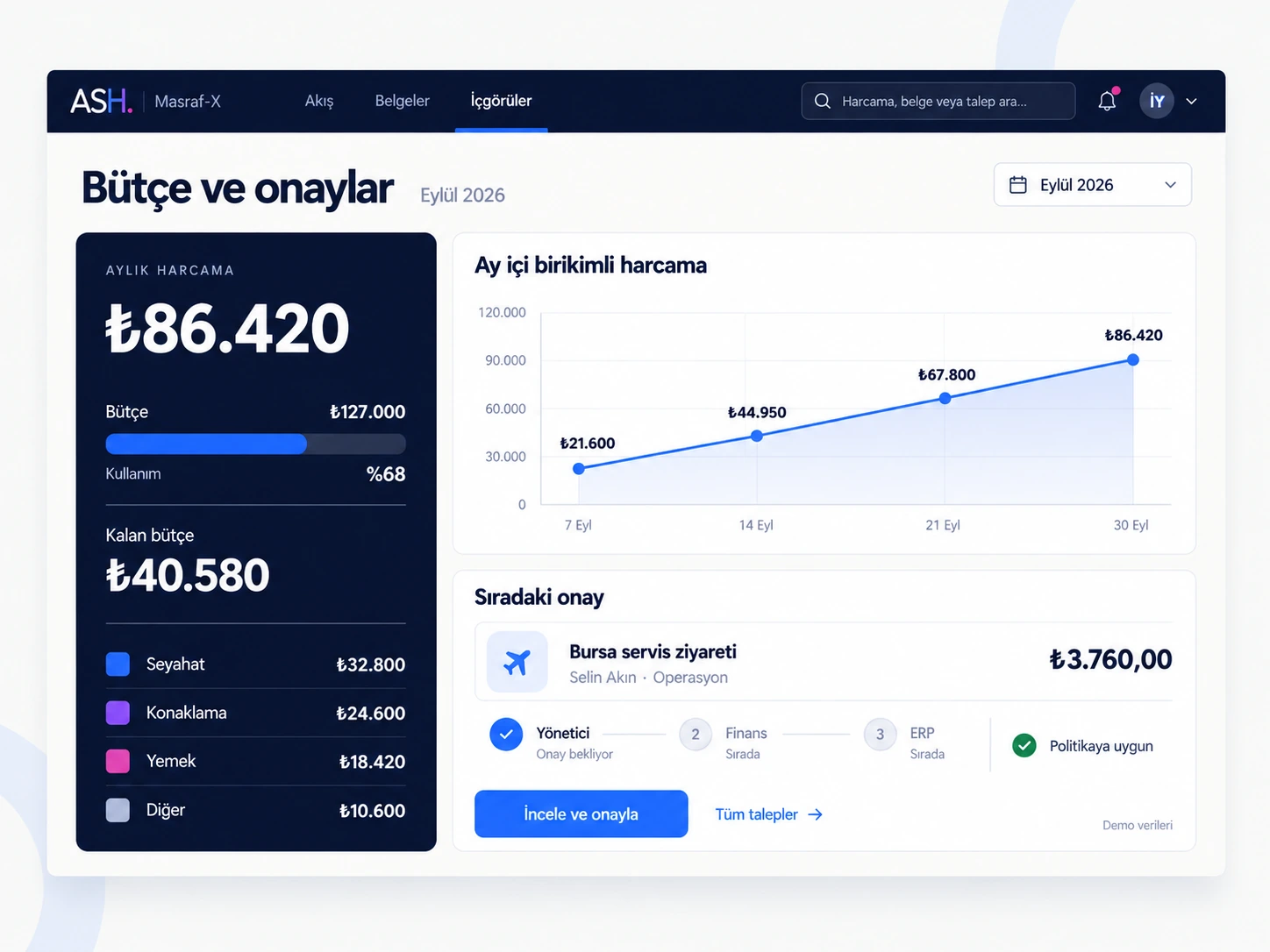
Masraf-X keeps the same data, the same rules and the same processes together in real time across mobile, web and desktop. It manages the entire process end to end, from the moment spending occurs to approval, accounting and transfer to the ERP. By reducing manual checks and operational load with AI, it gives organizations faster, more controlled and more visible spend management.
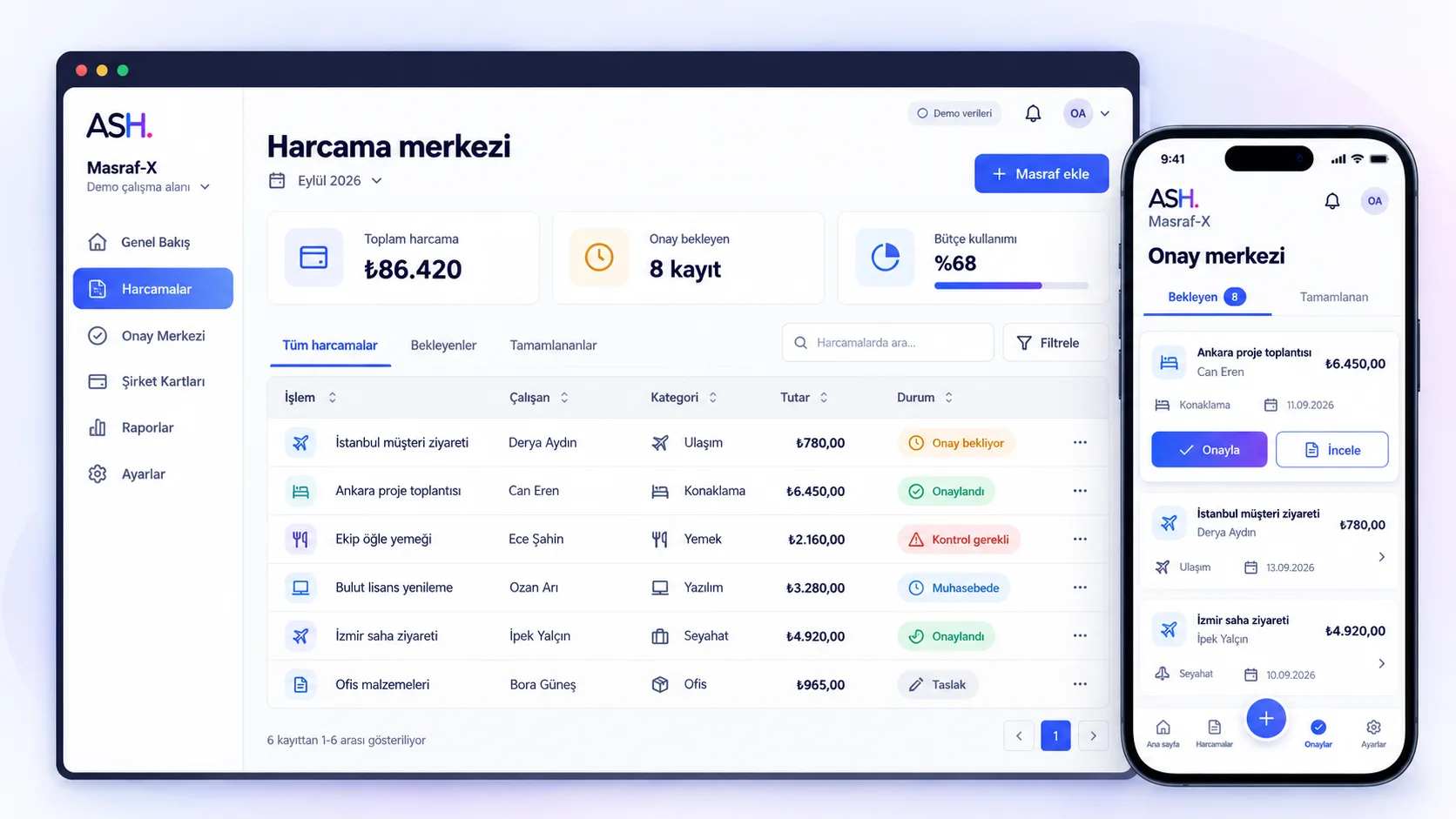
What you gain
Masraf-X focuses on two things: turning spending into a record the moment it happens, and applying company rules before the record is closed.
Receipt capture with successful validation.
Expense entry within 2 seconds.
The same data, the same rules and the same approval status on mobile, web and desktop.
All company spending, broken down by employee, department, category, project and period.
Use cases
The same expense record gives employees speed, managers control, finance clean data and auditors a trail. Pick your role and see what Masraf-X changes for you.
Business benefit
Photograph the receipt the moment you spend and let AI fill in the form. Track in the app, in real time, which approval step your reimbursement is waiting at.
Business benefit
Manage your approval queue from your phone. Have policy warnings and possible duplicate flags in front of you before you decide.
Business benefit
Receive approved records complete with VAT, account code and cost center. At month-end, just check and transfer instead of chasing documents.
Business benefit
Track the gap between budget and actuals by department and project in real time. See a deviation in the week it happens, not after the period has closed.
Business benefit
Review who created each record, who approved it and when, and which field changed, on a single timeline. Audit preparation stops being about collecting files.
Business benefit
Manage users, roles and permissions from one place. Set up the ERP integration right from the start with ASH's enterprise SAP project experience.
Features
Expense data carries personal information, company budgets and tax records. Masraf-X keeps a record of who sees this data, who changes it and where it goes.
Creation, editing, approval and rejection steps are stored with the user and a timestamp. The history of every expense can be reviewed on a single timeline.
Employees see their own records, managers see their team, and finance sees the whole company. Who can see and approve what is defined by role.
The approved expense is transferred to your ERP with its account code, VAT and cost center. In SAP environments, ASH's enterprise project experience builds the integration from an understanding of the business itself.
Which environment Masraf-X runs in and where the data is kept are planned together according to your organization's security and data policies. Not a generic template, but an architecture built for you.
Frequently asked questions
The questions finance, IT and audit teams ask most often when evaluating Masraf-X.
Masraf-X is an AI-powered enterprise expense and spend management platform. While digitizing employees' expense processes, it brings together AI-based automatic processing of receipts and invoices, real-time checks against company policies, multi-level approval flows and ERP integration on a single platform.
When a receipt photo is uploaded, AI detects fields such as amount, date, VAT, vendor and category and places them in the form. The employee checks the fields before submitting; company-specific fields are completed in the same form.
Yes. Different approval chains can be defined by department, expense type, amount or policy condition. You can also add the custom fields you need to your expense forms.
Approved expenses are transferred to your ERP together with their accounting details. ASH has deep project experience in SAP environments; the integration scope for the other systems you use is clarified together in an analysis meeting.
Access is restricted with role-based permissions, and every action is recorded with the user and a timestamp. The hosting and deployment model is decided together according to your organization's security and data policies.
It depends on the structure of your approval flows, the number of custom fields and the scope of the ERP integration. In the demo meeting, we review your current process and draw up a transition plan tailored to you.
Product family
Let's talk about Masraf-X.
Get in touch